Bering Tonnage Port Closures: Hurricanes, War and Blockades
Disruptions are the store page’s headline feature: “Tropical storms. Earthquakes. Worker strikes. Ice-blocked ports. Political blockades. War.” In practice they show up as closed ports.
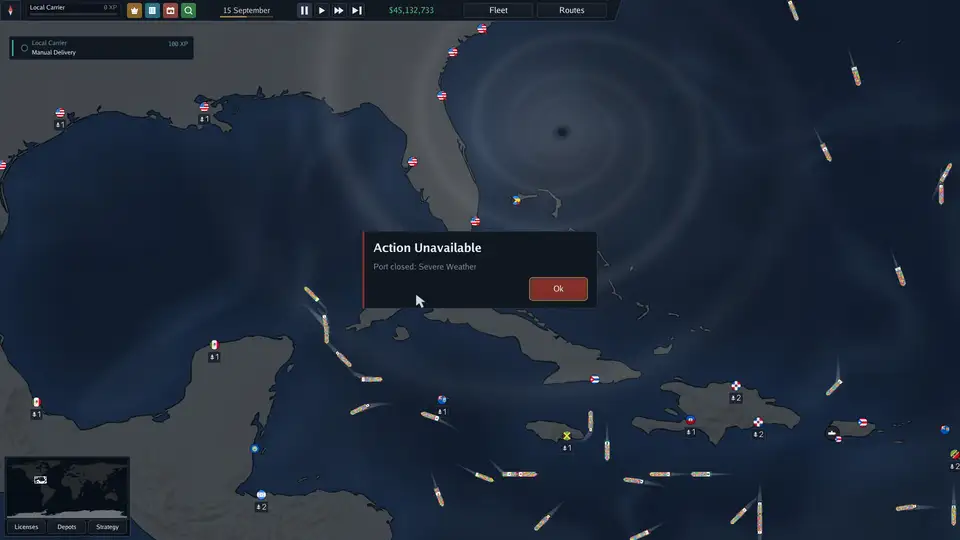
Closure types seen so far
| Message | Cause | Seen where |
|---|---|---|
| Port closed: Severe Weather | Hurricanes and tropical storms | Caribbean, Gulf of Mexico, Pacific near Japan |
| Port closed: Natural disaster | Not named on screen | Fort-de-France, Martinique |
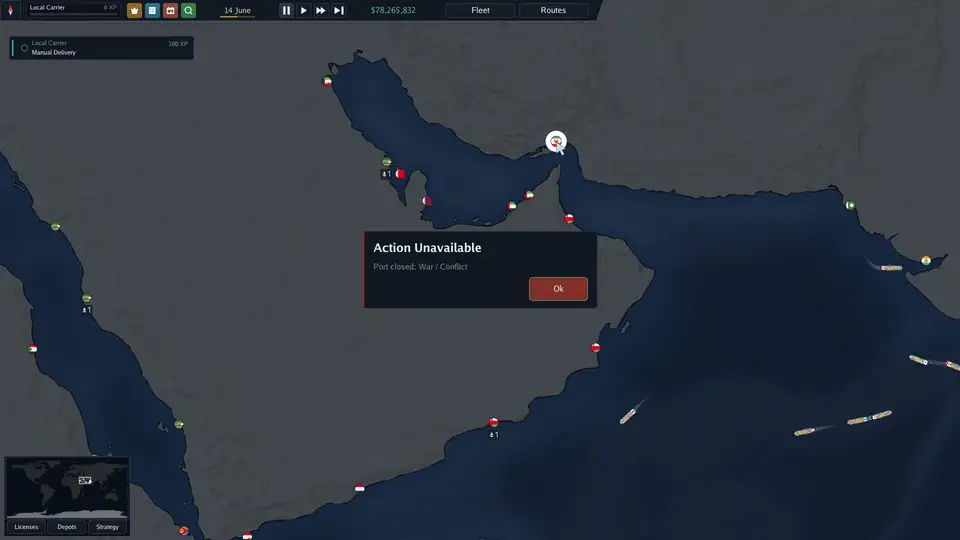
| Port closed: War / Conflict | Armed conflict | The Gulf (official screenshot), Red Sea and Mediterranean |
| Political blockade | Sanctions and blockades | Red Sea and Mediterranean area |
| Ice-blocked port, worker strike, earthquake | Listed on the store page | Not yet seen in footage |
A closed port shows a red X on the map. Trying to send a ship there gives Action Unavailable with the reason.
How long does a closure last?
The game does not show a timer. On stream, hurricane closures lasted a few in-game days and ports reopened on their own (“Roseau is opened”). War, conflict and blockades looked longer-lasting, but nobody watched one end. Closures also come back: storms form repeatedly (“Severe storm formed” notifications), and one streamer had nearly every eastern Caribbean port closed at once.
What closures do to your routes
- A route through a closed port shows Route blocked, then Ship rescheduled, and later Route resumed in the notification log.
- Cargo for a closed port keeps appearing at other ports but cannot be delivered until it reopens.
- Ships waiting on a blocked route still cost money every day, and the demo had no pause.
How to protect the fleet
- Spread ships across weather systems. A streamer’s own advice after losing a session to one hurricane: do not put the whole fleet in one sea.
- Avoid single-region early game in hurricane season. The Caribbean start is labelled hard partly for this reason; see which region to start in.
- Use depots as buffers. Cargo stored at a hub waits safely; collection ships carry it on when the port reopens. See depots and feeders.
- Re-route, do not wait, for war and blockades. If a closure says War / Conflict or blockade, edit the route to skip the port rather than leaving a ship idle.
- Watch storms on the map. Hurricanes are drawn as moving swirls. There is no forecast track, so judge by where the swirl is heading and keep ships clear of it.
- Check flags at chokepoints. Flag bans act like a permanent closure for that ship: the Kiel Canal refuses Russian and Iranian flags. See canals and straits.
Does weather damage ships?
Not confirmed. A streamer’s starting ship dropped from 99% to 76% condition during a stormy stretch, but condition also falls with normal sailing. Repairs happen in port up to that port’s cap (70% at Good facilities).
Thanks. Logged for the next revision.